MacBook Pro Teardown Knolling Photo Prompt
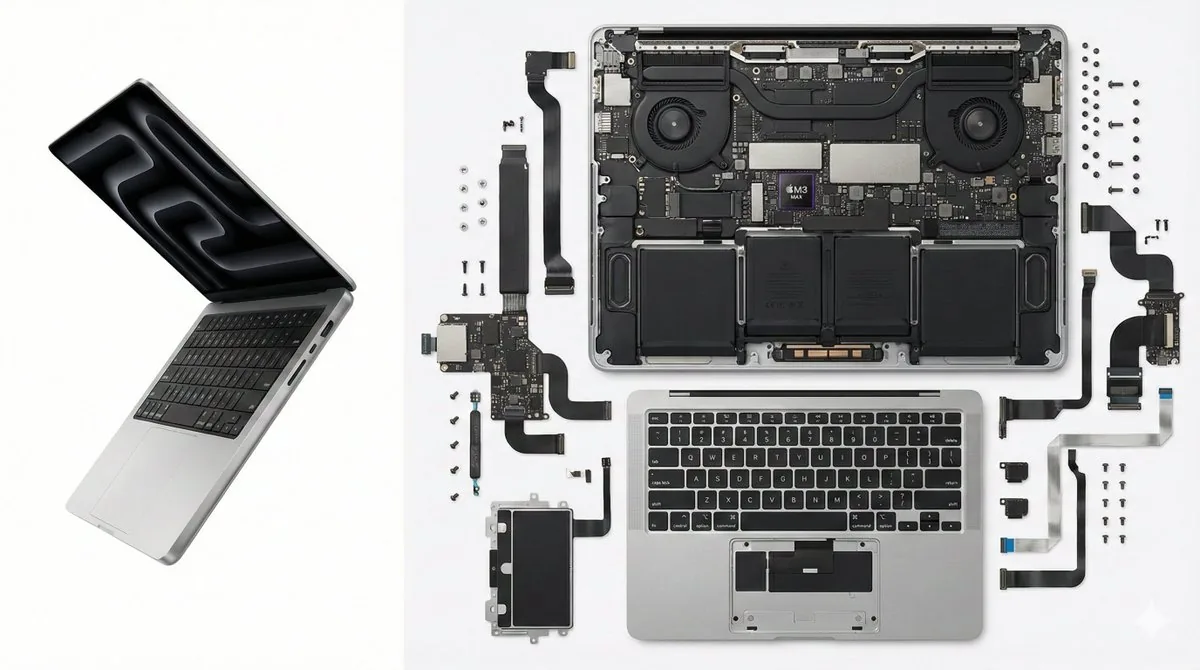
Split-screen product shot: a complete MacBook on the left, its logic board, fans, shell and keyboard laid out in a knolling grid on the right.
This example image was created by @songguoxiansen with Nano Banana Pro (Gemini 3 Pro Image). The button below opens the GPT Image 2.5 generator on this site with the prompt filled in, so you can generate a similar image — results will differ from the example.
Opens the generator with this prompt filled in. Nothing is generated until you press Generate.
Full prompt
MacBook Pro 笔记本电脑的极致拆解,左右分屏构图。左侧 1/3 展示合盖或半开状态的完整银色MacBook;右侧 2/3 展示极其复杂的内部构造,M系列芯片主板、风扇、铝合金外壳和键盘组件,按Knolling网格整齐平铺。纯白背景,商业产品摄影,高透光感,--ar 16:9How to use this prompt
Good for tech blogs, launch posts and hardware explainers that need an inside-the-device visual without a real teardown. The 1/3 + 2/3 split is the instruction doing the work, so keep it and swap “MacBook Pro” plus the listed parts for your own product. “Pure white background” and “commercial product photography” keep the result catalog-clean; try a dark slate surface for a moodier version. The trailing --ar 16:9 is Midjourney syntax, so on GPT Image 2.5 pick a landscape output size in the generator instead.