
Codex 在 VS Code/Cursor 的插件基础配置
文章目录
-
* Codex 在 VS Code/Cursor 的插件基础配置-
* 插件的 apiKey 配置
-
Codex 在 VS Code/Cursor 的插件基础配置
- 在插件市场搜索 Codex 安装
插件的版本问题我还是多说一下,2025.09.16 更新了
0.5.9&0.5.10版本,这两个插件有巨大调整,我列举一下(在 cursor & vs code 中已经验证),能接受的再更新,否则还是用0.5.8及以前的版本
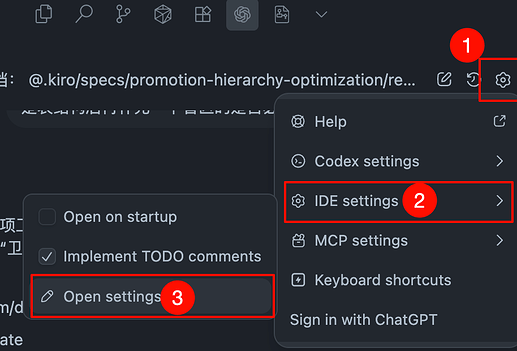
- 如图打开插件配置
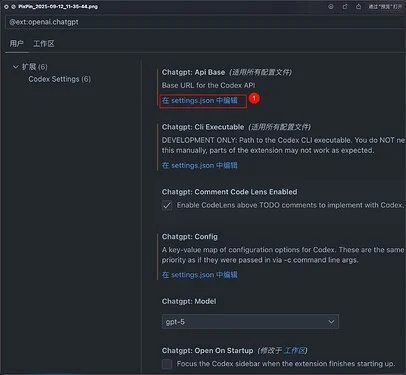
- 打开的设置页面可以点击在 setting.json 中编辑
-
setting.json 配置添加以下项:
配置自己的使用的中转站 url
"chatgpt.apiBase": "https://code.claude-opus.top/openai", "chatgpt.config": { "preferred_auth_method": "apikey", "model": "gpt-5-codex", "model_reasoning_effort": "high", "disable_response_storage": true, "wire_api":"responses" } }
插件的 apiKey 配置
- 在点击插件图标打开插件页面的时候会提示使用授权使用
- sign in With OpenAI
- use API Key
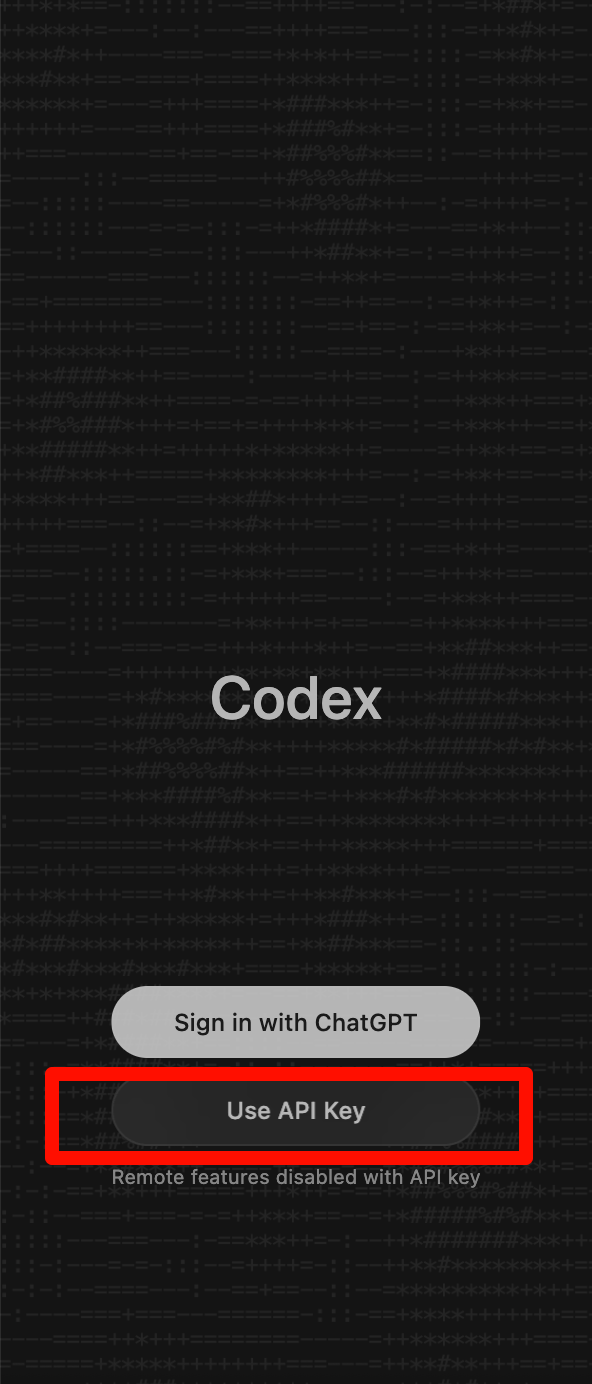
我们使用中转站都是使用第二项,那就需要在这个目录下配置: ~/.codex/auth.json,没有就新建一个,内容如下:
{
  "OPENAI_API_KEY": "cr-xxx"
}
key 的内容也是同在中转站获取的 key